

BLACKMAGIC DESIGN Hyperdeck Shuttle HD
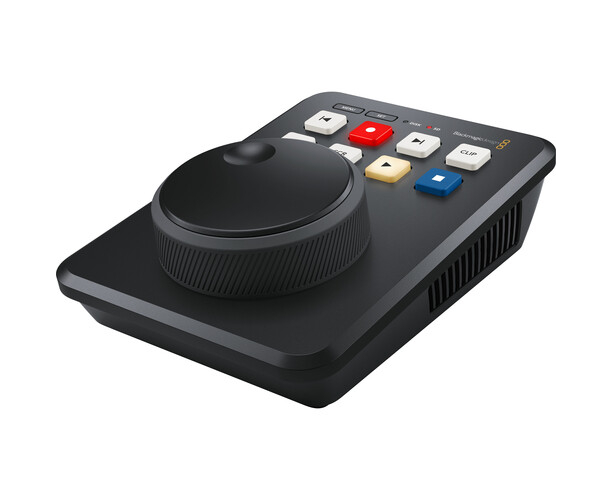
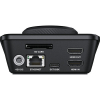
HYPERDECK SHUTTLE HD
HyperDeck Shuttle HD is a recorder and reader designed for desktop use.
It is more than a master recorder, because it can also be used as a clip player.
The large search selector is ideal for browsing through a lot of media and finding the clip you want to play.
ProRes, DNx, and H.264 files are supported in NTSC, PAL, 720p, and 1080p video formats.
HDMI connections allow you to attach it to switchers, cameras, and monitors.
In addition, SD cards, UHS-II, and external USB-C disks can be used for media recording and playback.
HyperDeck Shuttle HD uses the same design as ATEM Mini Extreme, making it the perfect combination to use as a media player.
It even has a built-in teleprompter .
PROFESSIONAL BEACK BRAODCAST WITH SOPHISTICATED DESIGN >
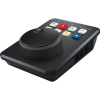
The HyperDeck Shuttle HD is perfectly designed for use on desks.
The front panel can be operated with one hand.
The gentle angle allows your hand to rest on the search dial with the control knobs positioned under your fingertips.
The design is the same depth and angle as ATEM Mini Extreme, so they match perfectly when used together.
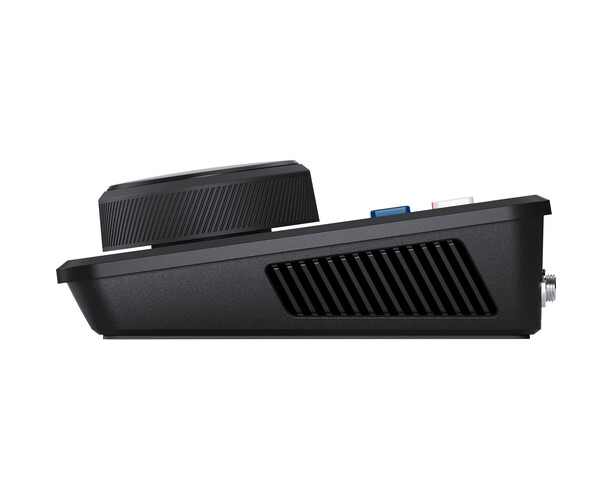
Navigating through media is quick, as the machined metal search dial has a natural inertia and the rubberized surface is pleasant to the touch.
This is ideal when searching through many media.
In addition, the buttons have the same design as traditional professional decks.
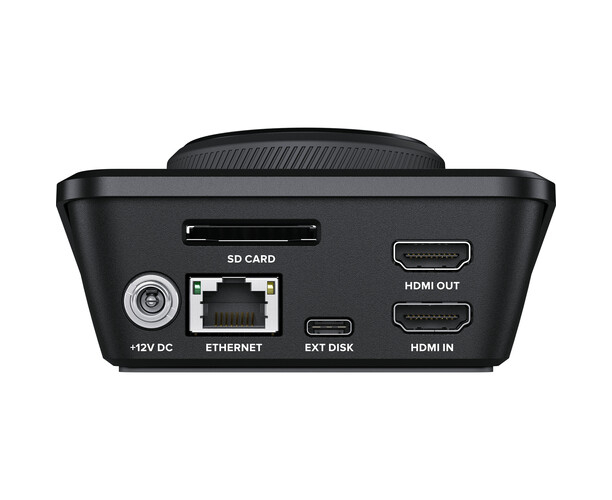
The rear panel includes all video, power, network , and control connections.
PERFECT FOR MASTERING AND STREAMING
Mastering Recorder: With support for H.264, ProRes, and DNx files, you can record true professional quality masters.
You can even select between PCM or AAC audio. This is perfect for higher quality mastering when used with ATEM Mini switchers.
You get everything you need to send shows to broadcasters and upload to YouTube.
Media Player : The large search selector allows you to search your clip library visually.
You can then use the previous clip button to indicate the start of the clip.
After playback, you can use the clip button to end playback at the end of the clip.
ATEM switchers can even control HyperDeck Shuttle remotely over Ethernet.
CLASSIC BROADCAST DECK CONTROLLERS
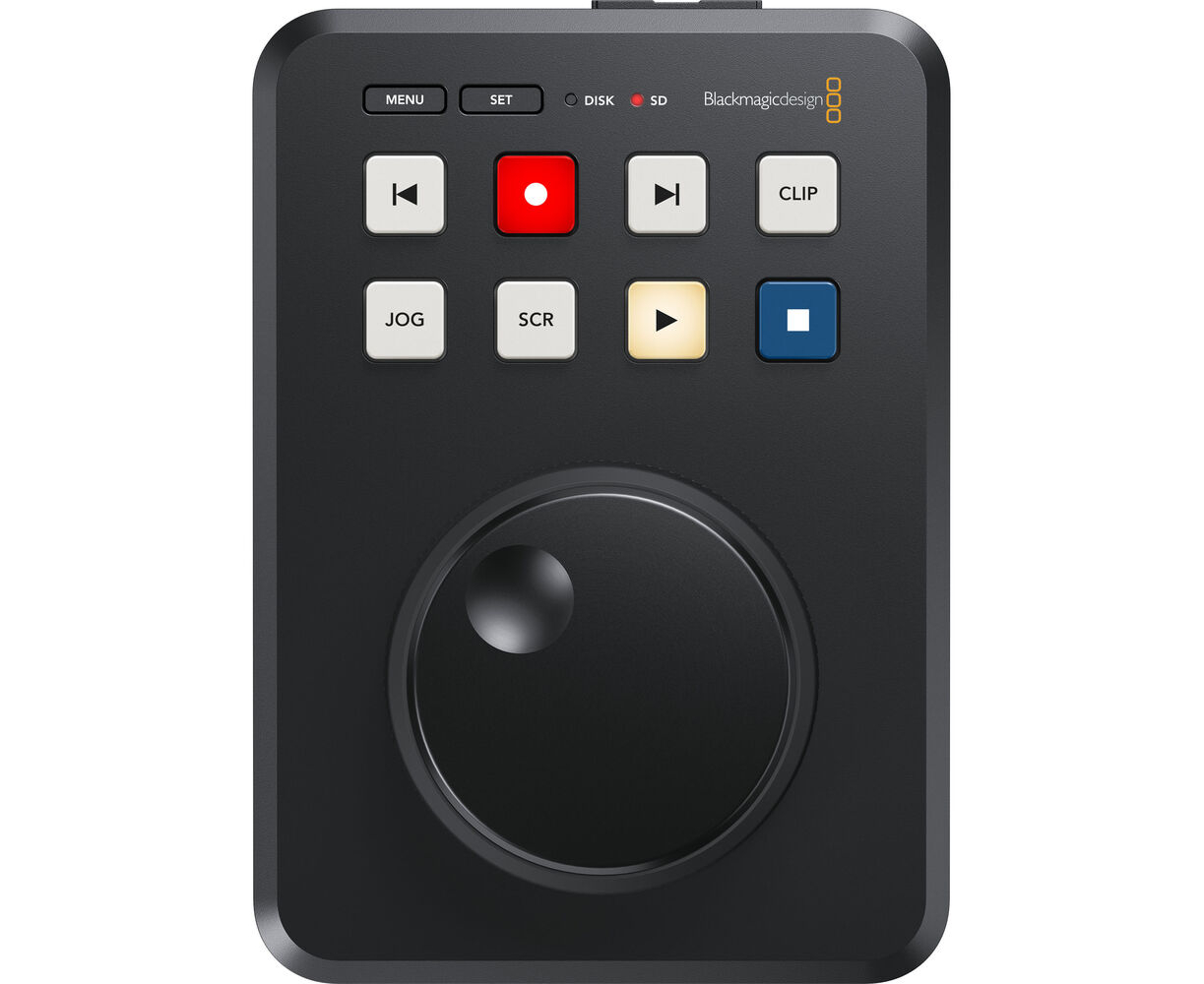
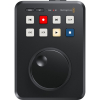
HyperDeck Shuttle includes a control panel that is very quick to use.
The buttons are similar to those of traditional professional decks.
When you press the record button, the video input starts recording to a file instantly.
It will record in the file format set in the recording menu.
There are other buttons to play, indicate the beginning of the clip and jump to the next clip.
The buttons have been custom-made by Blackmagic Design for the highest quality.
The machined metal search selector supports shuttle, jog and scroll modes so you can find your clips quickly.
And all deck control functions can be triggered remotely using the Ethernet network .
SUPPORTS SD AND UHS-II CARDS
All HyperDeck Shuttle models support recording to common SD and UHS-II cards, so you don't need expensive custom media.
SD cards are perfect for professional media as they are compact and very cost-effective.
And you can also burn to external USB disks. When using USB disks, if you use a USB hub, or Blackmagic MultiDock, you can even burn to multiple disks for uninterrupted recording.
With H.264, files are so small that you can get longer recordings on even the smallest, most affordable cards.
So you can record up to 157 hours of H.264 in 1080p59.94 on a 1TB card. That's more than six days of HD recording using a single 1TB card!
BURN TO EXTERNAL USB-C DISCS
If you need to record to other types of media, the USB-C expansion port allows you to connect an external flash drive.
USB-C flash disks have unlimited capacity because they can be physically larger than an SD card or SSD.
Plus, you can burn to the same disk matrix that you'll use for editing, so you don't have to waste time copying files before starting post-production. Just plug the disk into your computer and start editing instantly.
You can also plug in a Blackmagic MultiDock 10G with 4 individual SSD slots to add SSD media support to HyperDeck Shuttle. There are also options to manage external disks in the settings menu.
POPULAR PRORES, DNX, AND H.264 FILES
HyperDeck Shuttle HD supports the most commonly used codecs today.
You get professional-quality ProRes and DNx file formats.
But, there's also H.264 to save space when recording in NTSC, PAL, 720p, and 1080p, as well as 1080i true interlacing formats.
So you get compression ratios from 60:1 to 285:1 tuned for very small, professional-quality files.
You can even opt for uncompressed PCM audio or AAC audio when uploading files to YouTube.
HyperDeck Shuttle HD supports ExFAT formatting standards for Windows and HFS+ for Macs, so disks can be connected and read on both platforms.
Recording long-duration events to a single video file is also supported.
POWERFUL VIDEO AND CONTROL CONNECTIONS
Despite its small design, the HyperDeck Shuttle includes powerful connections.
The HDMI input can be connected to cameras and switchers like ATEM Mini, and the HDMI output can be connected to monitors for presentations or to ATEM Mini switchers like a long format media player.
Imagine playing commercials, promos or music videos on ATEM Mini switchers from HyperDeck Shuttle!
The rear panel also has a DC 12V power input and a power supply is included.
The 1G Ethernet connection allows remote file control and loading.
The USB-C expansion port can be used to record to larger external disks, software updates, or as a webcam output. The SD compartment supports both SD and UHS-II cards.
HDMI IDEAL FOR ATEM MINI SWITCHERS
With built-in HDMI input and output, connect to home cameras, monitors, TVs and video projectors, and even ATEM Mini switchers.
HDMI connections will automatically switch video standards to support both SD and HD equipment.
SD formats include NTSC and PAL. HD 720p standards include 720p50 and 720p59.94.
Interlaced HD 1080i formats include 1080i50 and 1080i59.94. HD 1080p formats include 1080p23.98, 24, 25, 29.97, 30, 50, 59.94, and 60p.
HyperDeck Shuttle supports up to 1080 PsF formats!
INTEGRATED TELEPROMPTER
With such a large search selector, the HyperDeck Shuttle HD can be used as a teleprompter.
Just change it to teleprompter in the recording menu and it will read standard RTF text files as scripts.
You don't need weird custom apps, as scripts can be written in plain text editors like TextEdit. You can navigate between multiple scripts with the previous and next clip buttons.
By pressing the jog and scroll buttons, you can scroll the script live just like on a traditional teleprompter.
Even the font size, color, thickness, and alignment will be read from the RTF script file.
Best of all, you can write your own scripts in standard 12 size and HyperDeck will zoom in for prototype view automatically.
NETWORK FILE TRANSFERS
HyperDeck Shuttle allows you to upload media files remotely using conventional FTP client software.
With 1G Ethernet integrated into HyperDeck Shuttle, transfers are very fast.
In some cases, faster than the SD card media drive.
For remote deck control, all models use a simple text-based protocol, so you can use a terminal app like Telnet to test control commands.
Just log in to HyperDeck, type "Play" or "Record", and it will execute the command.
It's that simple!
If you combine the control protocol and file transfers with a HyperDeck connected to a larger USB-C disk array, you'll get a professional server for ingestion, media management, and playout.
POWERED BY BLACKMAGIC OS
The innovative Blackmagic OS, developed for high-end film and television products, manages all functions in the HyperDeck Shuttle.
Only Blackmagic OS provides instant boot-up, while also including powerful features like video recording, timecode, audio, menu overlays, fast networking, multi-disc media management, 3D LUTs and even localization.
The menus are overlaid on the video output and include settings to customize HyperDeck Shuttle HD.
They can also be changed to display in light or dark mode.
Blackmagic OS delivers world-class network performance to ensure HyperDeck Shuttle HD is able to sustain high speed network transfers with your 1G Ethernet connection.
LOCALIZED FOR 13 POPULAR LANGUAGES
HyperDeck Shuttle HD supports multiple languages so you don't have to learn a new language just to use it.
English, Chinese, Japanese, Korean, Spanish, German, French, Russian, Italian, Portuguese, Turkish, Polish, and Ukrainian are supported.
When powered on for the first time, HyperDeck Shuttle HD will display a menu to select a language.
To change the language in the future, you can use the menu at any time.
When a language is selected, the menu overlays in the SDI monitoring output will also change to the selected language.
All of this means that the HyperDeck Shuttle is perfect for work anywhere in the world.
USE ANY VIDEO PROGRAM OR STREAMING SITE
HyperDeck Shuttle HD records files that are compatible with virtually all post-production programs.
When recording in H.264, you can upload HyperDeck Shuttle files directly to streaming services such as YouTube, Facebook, Vimeo, Twitter, and more. You can use editing programs such as DaVinci Resolve, Apple Final Cut Pro, Adobe Premiere Pro, or Avid Media Composer as HyperDeck uses the same file formats used in post-production.
Even VFX apps like Fusion and Adobe After Effects work with the files! Because HyperDeck writes to formatted discs on computers, you can simply mount the disc on any computer and start editing without having to copy the files.
Box Contents:
1x BLACKMAGIC DESIGN Hyperdeck Shuttle HD
1x Power Supply
